Flask, Vue.js 中集成 Bootstrap/BootstrapVue
紧接上一篇 Flask 和 Vue.js 开发及整合部署实例,来体验一下它们与 Bootstrap/BootstrapVue 的集成。漂亮的网站少不得一个好的 CSS 框架,现在有许许多的 CSS 框架可选,纯 CSS 的, 轻量级的, 含 JS 的 CSS 框架,如 Pure, Bulma, Spectre, 国产的 Element 等。而我总觉得 Bootstrap 更是五臟俱全,像 Element 专为 Vue.js 打造的一样,Bootstrap 也有 BootstrpVue 那样一个结晶品。
本文准确的内容应该是关于 Vue.js 与 Bootstrap/BootstrapVue 的话题,与 Flask 没什么事,不过这里呢,还是强拉上 Flask, 由 Flask 的 API 来产生一些数据。
同样是阅读 Flask和Vue.js构建全栈单页面web应用【通过Flask开发RESTful API】的一个实践品。本篇基于 Flask 和 Vue.js 开发及整合部署实例 中的步骤建立的项目 flask-vue-app,方便起见,用了一个新项目名称 flask-vue-bootstrap。记得我们为 Flask 和 Vue.js 分别建立了 backend 和 frontend 两个子项目。
把 Bootstrap 样式导入到 frontend 项目中,只需要在 frontend/src/main.js 中加上一行
可以想像这一步就完成了 Bootstrap 的 css 和 js 文件的导入,相当于下面两行代码
这样才不至于下面要显示的按钮紧贴着页面顶部,然后在 ping 组件 frontend/components/Ping.vue 中的 <template> 部分修改为
样式
这时候假如
 显示一个 Bootstrap 表格
再来一个例子,做一个显示 Book 列表的页面,Bootstrap 风格,数据由 Flask API 提供。也借些了解一下 Vue.js 的简要开发步骤,完整的 CRUD 程序的开发还要再放一放
由以上内容可知,该组件将从 http://localhost:5000/api/books API 获取数据,数据的结构为 [{title: '...', author: '...', read: true/false}, ...]
Vue 的
更新 fontend/router/index 文件,两处改动
首先引入 Books 组件
再在
用 http://localhost:8080/ 将能访问 Books 列表。要显示出 Books 列表还需要在 Flask 中创建一个
创建 Flask API
在 backend/app.py 中添加
我们在 Manning 出版社找了畅销书的前三本,
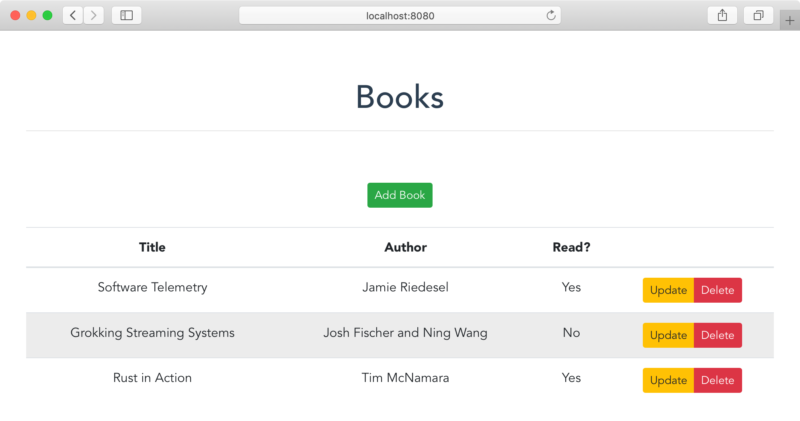
打开 http://localhost:8080/, 看到
注意:千万不要用 jQuery 去直接操作绑定了 Vue 数据的 DOM 元素。
安装 BootstrapVue, 在 frontend 目录中执行
Vue 组件中应用 BootstrapVue 的实例,可以在 frontend/src/components/Books.vue 中把行
改为
在浏览器中,以上 <b-button> 的写法分别会被渲染为
BootstrapVue 还支持许多的 HTML 组件,特别是在用到 Modal 窗口时应该要用 BootstrapVue 的 <b-modal> 标签,因为 Bootstrap 的 Modal 组件要使用到 jQuery,在 Vue 项目应尽力避免使用 jQuery 来操作 DOM.
不需要启动
 这能获得与之前访问 http://localhost:8080 一样的效果。
本文的完整代码在:https://github.com/yabqiu/flask-vue-bootstrap.git 永久链接 https://yanbin.blog/flask-vue-js-integrate-with-bootstrap-bootstrapvue/, 来自 隔叶黄莺 Yanbin's Blog
[版权声明] 本文采用 署名-非商业性使用-相同方式共享 4.0 国际 (CC BY-NC-SA 4.0) 进行许可。
本文准确的内容应该是关于 Vue.js 与 Bootstrap/BootstrapVue 的话题,与 Flask 没什么事,不过这里呢,还是强拉上 Flask, 由 Flask 的 API 来产生一些数据。
同样是阅读 Flask和Vue.js构建全栈单页面web应用【通过Flask开发RESTful API】的一个实践品。本篇基于 Flask 和 Vue.js 开发及整合部署实例 中的步骤建立的项目 flask-vue-app,方便起见,用了一个新项目名称 flask-vue-bootstrap。记得我们为 Flask 和 Vue.js 分别建立了 backend 和 frontend 两个子项目。
安装体验 Bootstrap
在 frontend 目录中执行$ npm install bootstrap --save # 当前(2020-07-04) 安装版本为 bootstrap@4.5.0,锁定版本安装用 npm instll bootstrap@4.5.0 --save注:忽略 jquery 和 proper.js 的警告,不要安装它们
把 Bootstrap 样式导入到 frontend 项目中,只需要在 frontend/src/main.js 中加上一行
1import 'bootstrap/dist/css/bootstrap.css';可以想像这一步就完成了 Bootstrap 的 css 和 js 文件的导入,相当于下面两行代码
<link rel="stylesheet" href="https://stackpath.bootstrapcdn.com/bootstrap/4.5.0/css/bootstrap.min.css">接下来要应用 Bootstrap 的样子,先在 frontend/src/App.vue 的 style 部分中的
<script src="https://stackpath.bootstrapcdn.com/bootstrap/4.5.0/js/bootstrap.min.js"></script>
#app 块中加上1margin-top: 60px;这样才不至于下面要显示的按钮紧贴着页面顶部,然后在 ping 组件 frontend/components/Ping.vue 中的 <template> 部分修改为
1<template>
2  <div class="container">
3    <button type="button" class="btn btn-primary">{{ msg }}</button>
4  </div>
5</template>
样式
container, btn, 和 btn-primary 就是来自于 Bootstrap这时候假如
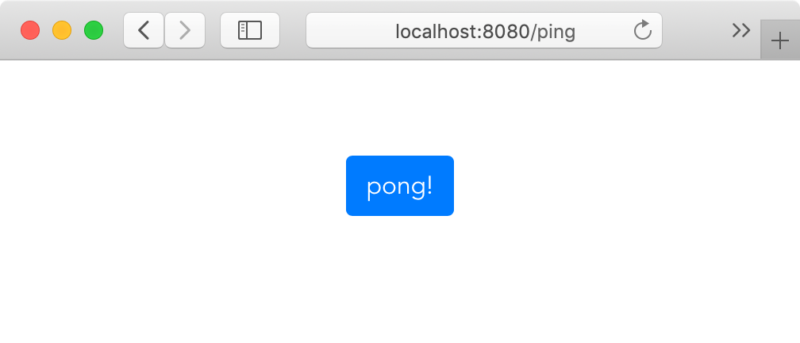
backend 和 frontend 下还分别运行着$ python app.py # backend 目录下上边两个服务没运行的话就执行它们,这时候 http://localhost:8080/ping 会自动刷新,显示了 Bootstrap 风格的
$ npm run serve # frontend 目录下
pong! 按钮 显示一个 Bootstrap 表格
再来一个例子,做一个显示 Book 列表的页面,Bootstrap 风格,数据由 Flask API 提供。也借些了解一下 Vue.js 的简要开发步骤,完整的 CRUD 程序的开发还要再放一放
创建一个 Books 组件
需要创建文件 frontend/components/Books.vue 文件,内容为 1<template>
2 <div class="container">
3 <div class="row">
4 <div class="col-sm-12">
5 <h1>Books</h1>
6 <hr><br><br>
7 <button type="button" class="btn btn-success btn-sm">Add Book</button>
8 <br><br>
9 <table class="table table-hover">
10 <thead>
11 <tr>
12 <th scope="col">Title</th>
13 <th scope="col">Author</th>
14 <th scope="col">Read?</th>
15 <th></th>
16 </tr>
17 </thead>
18 <tbody>
19 <tr v-for="(book, index) in books" :key="index">
20 <td>{{ book.title }}</td>
21 <td>{{ book.author }}</td>
22 <td>
23 <span v-if="book.read">Yes</span>
24 <span v-else>No</span>
25 </td>
26 <td>
27 <div class="btn-group" role="group">
28 <button type="button" class="btn btn-warning btn-sm">Update</button>
29 <button type="button" class="btn btn-danger btn-sm">Delete</button>
30 </div>
31 </td>
32 </tr>
33 </tbody>
34 </table>
35 </div>
36 </div>
37 </div>
38</template>
39
40<script>
41import axios from 'axios';
42
43export default {
44 data() {
45 return {
46 books: [],
47 };
48 },
49 methods: {
50 getBooks() {
51 const path = 'http://localhost:5000/api/books';
52 axios.get(path)
53 .then((res) => {
54 this.books = res.data.books;
55 })
56 .catch((error) => {
57 // eslint-disable-next-line
58 console.error(error);
59 });
60 },
61 },
62 created() {
63 this.getBooks();
64 },
65};
66</script>由以上内容可知,该组件将从 http://localhost:5000/api/books API 获取数据,数据的结构为 [{title: '...', author: '...', read: true/false}, ...]
Vue 的 / 路由指向 Books 组件
更新 fontend/router/index 文件,两处改动首先引入 Books 组件
1import Books from './components/Books.vue'再在
const routes 数组中把 path: '/' 的路由更改为1{
2 path: '/',
3 name: 'Books',
4 component: Books,
5}用 http://localhost:8080/ 将能访问 Books 列表。要显示出 Books 列表还需要在 Flask 中创建一个
/api/books API创建 Flask API /api/books
在 backend/app.py 中添加 1BOOKS = [
2 {
3 'title': 'Software Telemetry',
4 'author': 'Jamie Riedesel',
5 'read': True
6 },
7 {
8 'title': 'Grokking Streaming Systems',
9 'author': 'Josh Fischer and Ning Wang',
10 'read': False
11 },
12 {
13 'title': 'Rust in Action',
14 'author': 'Tim McNamara',
15 'read': True
16 }
17]
18
19
20@app.route('/api/books', methods=['GET'])
21def all_books():
22 return jsonify({
23 'status': 'success',
24 'books': BOOKS
25 })我们在 Manning 出版社找了畅销书的前三本,
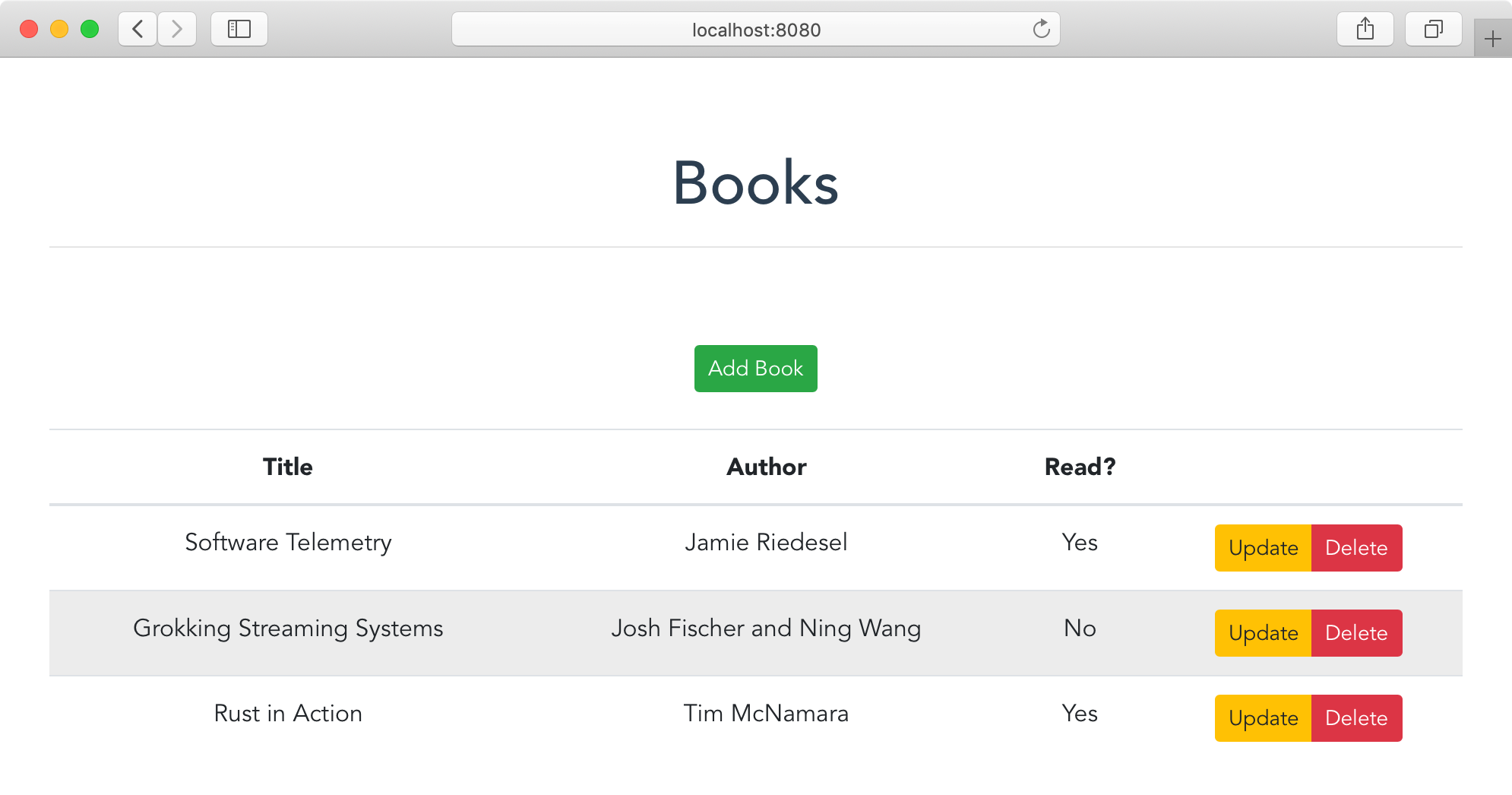
/api/books 返回 JSON 字符串.打开 http://localhost:8080/, 看到
关于 BootstrapVue
有了 Bootstrap 为什么还要 BootstrapVue 呢?记得前面安装 Bootstrap 时提示有些组件依赖到 jQuery, 而 Vue 使用的是虚拟 DOM, 如果使用 jQuery 来操作 DOM,将无法实现 Vue 的 View 与 Model 的双向绑定。BootstrapVue 解除了 Bootstrap 对 jQuery 的依赖问题,同时 BootstrapVue 还为 Vue 提供了很多标签指令,如 b 开头的 <b-button> 等。注意:千万不要用 jQuery 去直接操作绑定了 Vue 数据的 DOM 元素。
安装 BootstrapVue, 在 frontend 目录中执行
$ npm install bootstrap-vue --save # 当前(2020-07-04) 安装的 BootstrapVue 是 2.15.0,所以欲锁定安装版本可用 npm install bootstrap-vue@2.15.0 --saveBootstrapVue 的使用,修改 frontend/src/main.js, 其加加上两行
1import BootstrapVue from 'bootstrap-vue';
2import 'bootstrap-vue/dist/bootstrap-vue.css';  // 不加上这行,显示 BootstrapVue 组件时样式不对,如 b-modal 背景黑色不透明<br/><br/>
3Vue.use(BootstrapVue);1<button type="button" class="btn btn-success btn-sm">Add Book</Button>改为
1<b-button class="btn-success btn-sm">Add Book</b-button>在浏览器中,以上 <b-button> 的写法分别会被渲染为
1<button type="button" class="btn btn-success btn-sm btn-secondary">Add Book</button>BootstrapVue 还支持许多的 HTML 组件,特别是在用到 Modal 窗口时应该要用 BootstrapVue 的 <b-modal> 标签,因为 Bootstrap 的 Modal 组件要使用到 jQuery,在 Vue 项目应尽力避免使用 jQuery 来操作 DOM.
再试 Flask 与 Vue.js 的集成
这是一个回顾,具体集成实现的原理见上一篇 Flask 和 Vue.js 开发及整合部署实例。假如现在在项目的根目录,下面命令用于集成 Flask 与 Vue.js,完后只需要启动 Flask1$ cd frontend
2$ npm run build
3$ cd ../backend
4$ ln -s ../frontend/dist static
5$ python app.py不需要启动
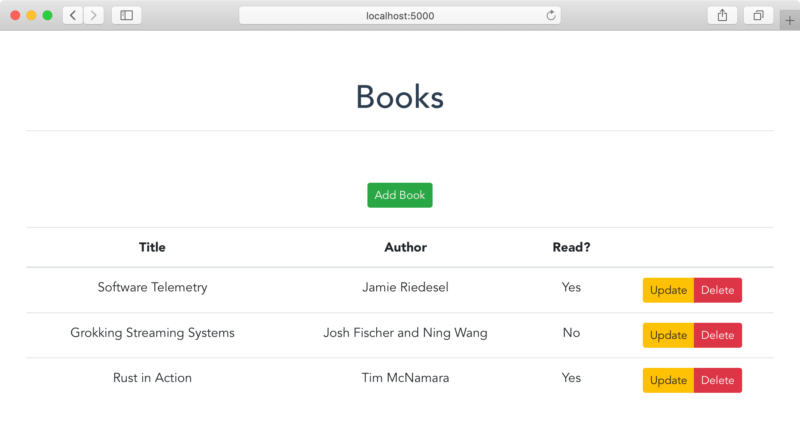
npm run serve 了,直接通过 Flask 的服务访问 http://localhost:5000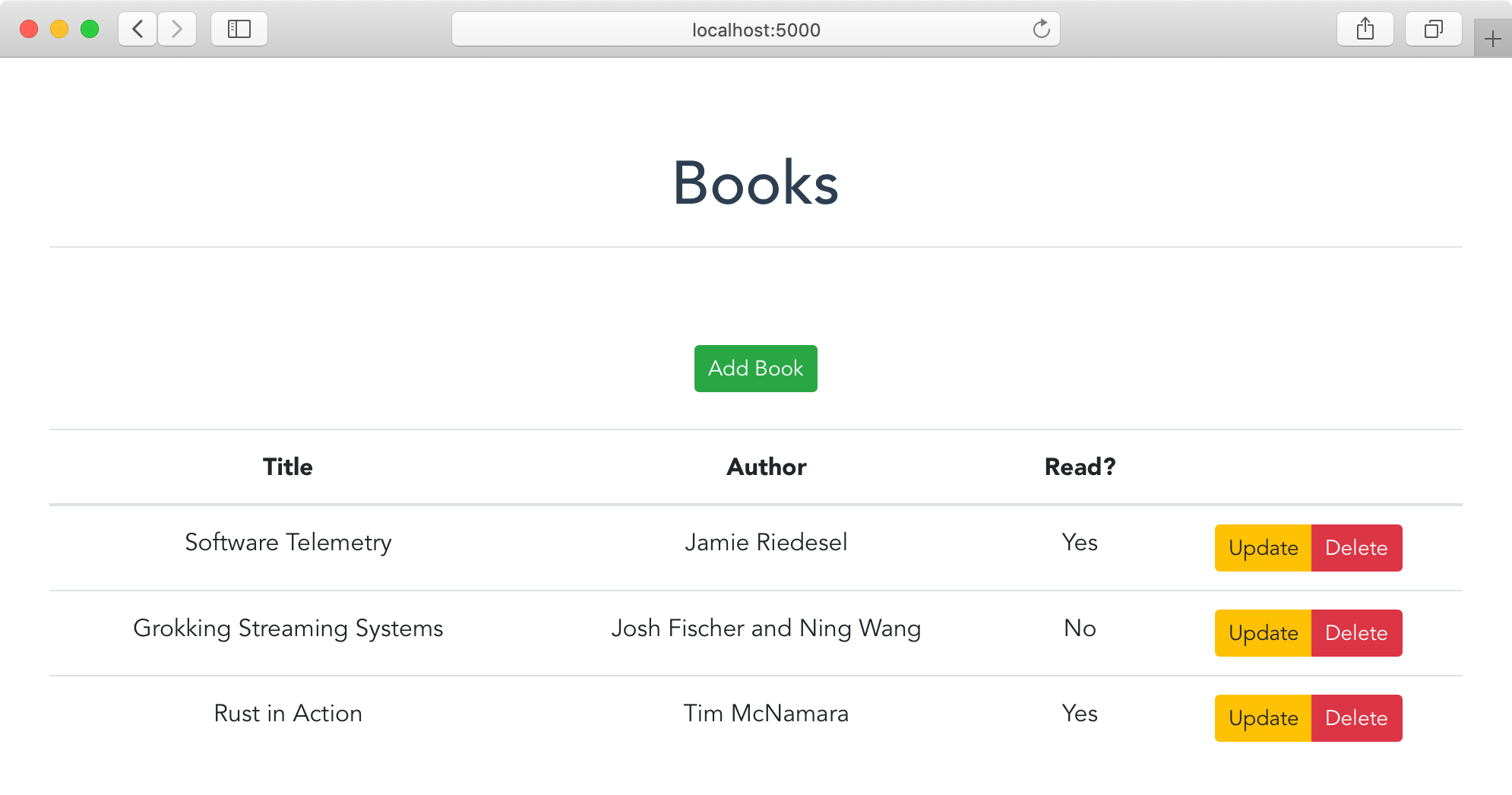 这能获得与之前访问 http://localhost:8080 一样的效果。
小结
本文的全部关键操作总结如下,其他都是 Vue 的常规操作了:npm install bootstrap --save- src/main.js 中加
import 'bootstrap/dist/css/bootstrap.css; npm install bootstrap-vue --save- src/main.js 中再加
import BootstrapVue from 'bootstrap-vue;,import 'bootstrap-vue/dist/bootstrap-vue.css;和Vue.use(BootstrapVue)
本文的完整代码在:https://github.com/yabqiu/flask-vue-bootstrap.git 永久链接 https://yanbin.blog/flask-vue-js-integrate-with-bootstrap-bootstrapvue/, 来自 隔叶黄莺 Yanbin's Blog
[版权声明]
本文采用 署名-非商业性使用-相同方式共享 4.0 国际 (CC BY-NC-SA 4.0) 进行许可。